Hand off the leash, not the worry.
Sitter Mode is a time-bounded handoff to a temporary dog sitter — a private CKShare invite via iMessage. Logged feedings, walks, and (opt-in) medications flow back to your dashboard in real time. When the sit ends, the sitter's access ends.
How Sitter Mode works
Four taps from "going away for the weekend" to "the sitter is logging meals from their iPhone."
-
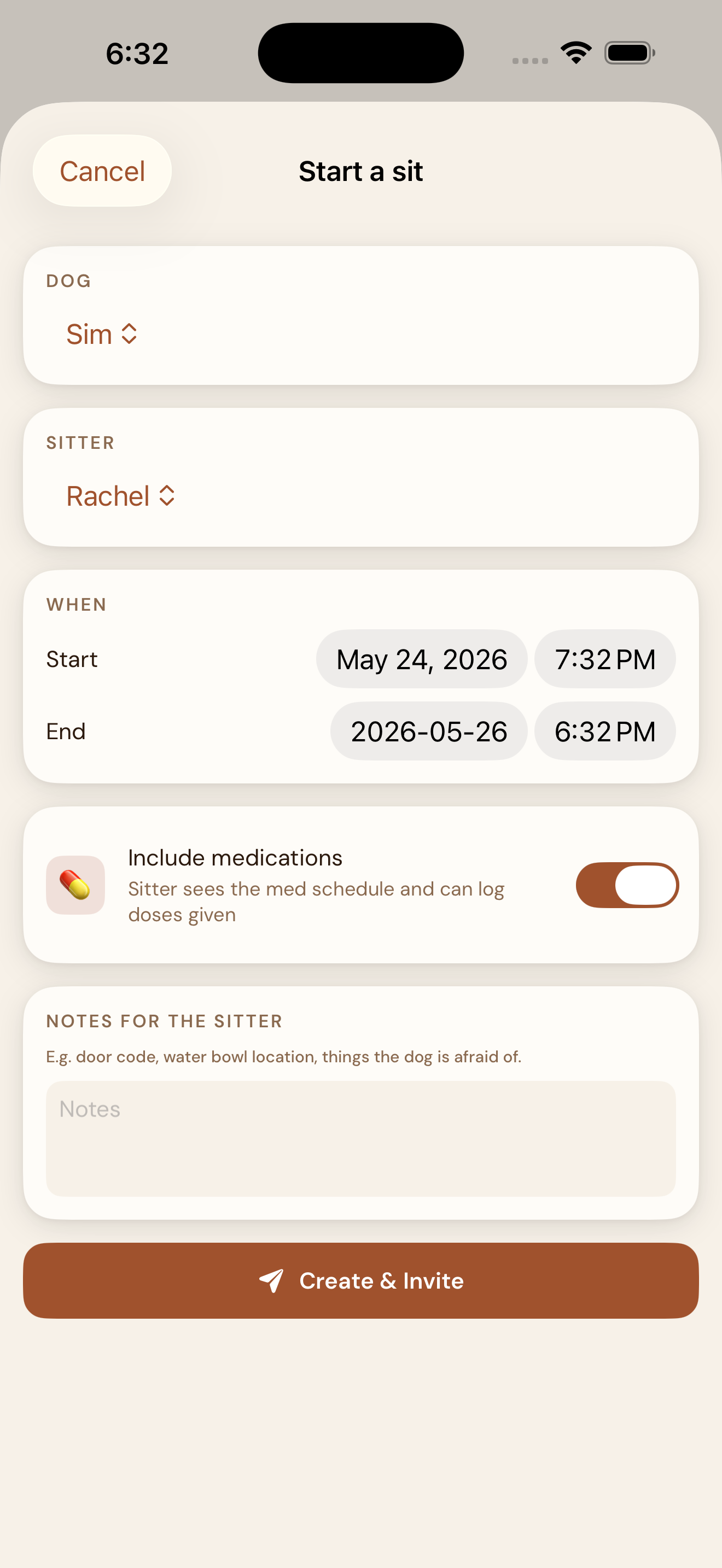
Schedule the sit
Open Settings → Sitter Mode. Pick your dog, type your sitter's name, set the start and end dates. Decide whether medications are part of the share (off by default). Add any notes you want the sitter to see — the spare key code, how the dog handles thunderstorms, the vet's emergency line.
-
Send the invite
Tap Create & Invite. EmberPaws creates a private CKShare for this one sit and opens the iOS share sheet. Send the link via iMessage with the preview card showing your dog's name. AirDrop and Mail work too — anywhere a link goes.
Your sitter taps the link on their iPhone. If they don't have EmberPaws yet, the App Store opens; they download (free, no signup) and the share is waiting. If they do, the app opens straight to their sit dashboard. The native iOS CKShare acceptance handles authentication via their Apple ID — no usernames, no passwords, no friction.
-
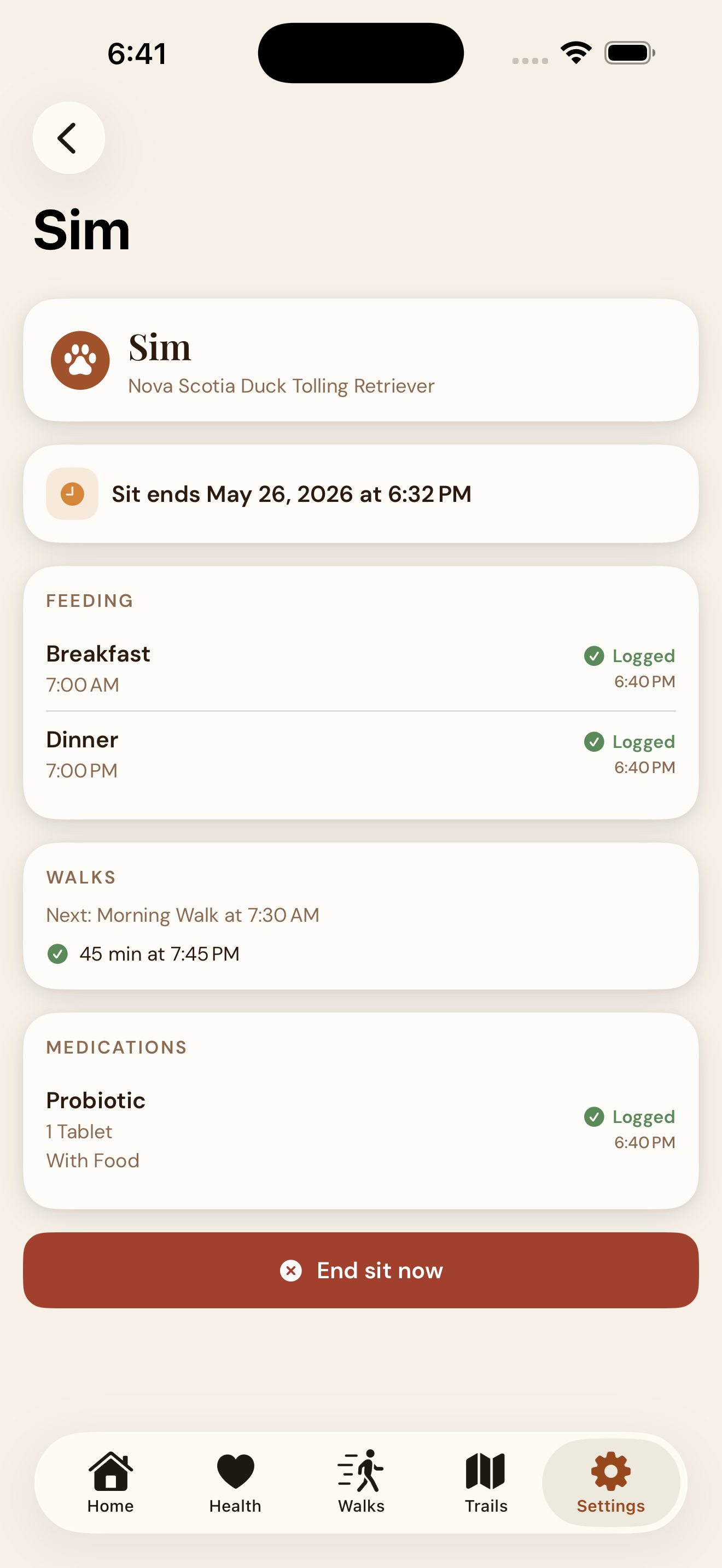
Watch the care happen
Your sitter sees a focused dashboard: today's feedings, the walk plan, your notes, the primary vet's phone number, and (if you opted in) the medication schedule. They tap each task as they complete it. Every logged event flows back to your dashboard with a green Logged badge in real time.
-
Auto-cleanup at the end
When the sit ends — at the scheduled end date or when you tap End sit now — EmberPaws deletes the shared CloudKit zone. The sitter's local copy of your dog's records is removed on their next app foreground. No manual revocation, no "I'll get to it later," no lingering access.
What's shared. What's not.
Sitter Mode is scoped. The sitter sees what they need to care for your dog during the dates you set — nothing else.
Shared with the sitter
- Your dog's name, breed, birthday, weight
- Allergies and care notes
- Feeding schedule
- Walk schedule and the primary vet contact
- Your "while I'm away" notes
- Medications — only if you opted in
- Their logged meals, walks, and notes flow back to you
Never shared
- Your other dogs
- Weight history charts
- Stool and skin score history
- Vaccination history
- Full vet directory (only the primary)
- Trail pins and Walking Club RSVPs
- Photos and any data outside this sit's scope
Sitter Mode FAQ
The questions owners ask before their first hand-off.
Does my sitter need to create an EmberPaws account?
Does Sitter Mode include my dog's medications?
What happens to my data when the sit ends?
Can I have multiple sits running at the same time?
What if my sitter is on Android?
Can my sitter see my other dogs or my walk history?
Where does the data actually live?
Ready to hand off the leash?
Free to download. No account. No subscription. Available on iPhone, iOS 17+.
Download on the App StoreSitter Mode is built on Apple's private CKShare. Your dog's records never touch EmberPaws servers.